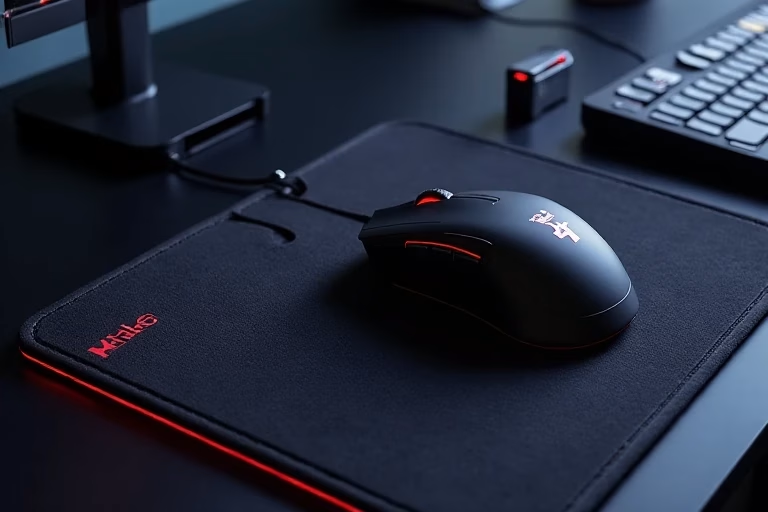

When you work without a mouse pad, is it complete? This experience makes me feel like something is missing! Especially when you are making a document or writing a blog! So you want to improve your office efficiency? Fortunately, for all of us novices, the Wireless Charging Mouse Pads is undoubtedly a very good choice
Wireless Charging Mouse Pads! The reason is easy to understand: a suitable Wireless Charging Mouse Pads can help you avoid organizing messy data cables. We don’t want to promote these products deliberately. In our use, these built-in wireless charging modules can also charge devices such as mice and mobile phones that support wireless charging. It is very convenient.

What is a Wireless Charging Mouse Pad?
Wireless charging mouse pads are usually based on the Qi standard, which is a widely used wireless charging technology. Its principle is to use the principle of electromagnetic induction, which I find very interesting. They generate an electromagnetic field through the built-in transmitting coil of the mouse pad. When a compatible device is placed on it, the receiving coil in the device will interact with it to achieve charging.
Especially my favorite, Logitech’s PowerPlay system and Razer HyperFlux System 2, ™ can not only charge the mouse, but also continuously supply power during use, ensuring that users do not have to worry about the device being powered off when playing games or working, especially Razer HyperFlux System 2, whose charging range is usually limited to a 15mm diameter area, and the conversion efficiency can reach 75%, which is simply shocking to me.
Many modern wireless charging mouse pads are equipped with RGB lighting effects, which can be customized according to user preferences to add personalized elements to the desktop. For example, Rapoo and ROG Balteus Qi both provide rich lighting effects.
Will wireless charging mouse pads affect mouse tracking accuracy?
Indeed, many novices will worry about this problem, but from my personal experience, I can say with certainty that it is not the case. For example, the AWKICI RGB Fantasy Gaming Wireless Charging Mouse I am using now uses micro-textured fabric material, which is not only smoother but also enhances sensor performance.
What is the best wireless mouse to buy?
For beginners, I think Logitech MX Master 3S is a good choice
This premium device offers a perfect blend of comfort, functionality, and performance.
Key Features:
- Comfortable, ergonomic design
- Electromagnetic scroll wheel with precise and free-scrolling modes
- Side-scrolling thumb wheel
- 8,000 DPI sensor for high-resolution displays
- Quiet click buttons
- Customizable buttons and gestures
Logitech G305 Lightspeed
But if you want to just start trying this type of mouse pad, then the Logitech G305 Lightspeed will definitely give you the ultimate value for money.
Notable Features:
- Lightweight, ambidextrous design
- Hero optical sensor for gaming-grade performance
- Up to 250 hours of battery life on a single AA battery
- 12,000 DPI sensor
- Lightspeed wireless technology for low-latency connection
- The G305 Lightspeed proves that you don’t need to break the bank for a quality wireless gaming mouse
Best for Productivity: Logitech Signature M650
Key Attributes:
- Affordable price point
- Available in multiple sizes and a left-handed version
- Bluetooth and 2.4GHz connection options
- Impressive battery life
- Quiet click mechanism
- The Signature M650 offers a great balance of functionality and affordability for general productivity tasks
Razer DeathAdder V3 Pro
But if you are a game lover, then I recommend you to definitely try the Razer DeathAdder V3 Pro. When I first used it to play League of Legends, I was completely shocked by the smooth experience.
Highlights:
- Lightweight design (63g)
- 30,000 DPI optical sensor
- Up to 4,000Hz polling rate with optional Hyperpolling dongle
- Excellent battery life (up to 90 hours)
- Comfortable ergonomic shape
The DeathAdder V3 Pro offers exceptional accuracy and responsiveness, making it ideal for competitive gaming across various genres
Gimars RGB Gaming Mouse Pad
15W Wireless Charging Mousepad with 10 Light Modes
The built-in 15W wireless fast charging feature I think this is the most outstanding feature of Gimars mouse pad.
It’s worth noting that the charging power depends on the adapter specifications:
- 15W charging requires a 9V 2A adapter
- 10W charging requires a 5V 2A adapter
- 7.5W charging requires a 5V 2.4A adapter
I think this design has a great advantage, which is that it can help you easily monitor the charging progress and effectively prevent overcharging. Isn’t it amazing?
RGB Lighting: Perfect Blend of Personalization and Functionality
10 Lighting Modes
The Gimars mouse pad offers 10 customizable RGB lighting modes, including:
- 7 static lighting modes
- 3 dynamic effects
These lighting effects not only enhance gaming atmosphere but can also be adjusted to suit work environment requirements, potentially improving productivity.
Memory Function
The built-in memory function saves the user’s last selected lighting mode, eliminating the need to reconfigure settings each time the device is powered on.
Anti-Slip Base
The 4mm thick natural rubber base ensures the mouse pad remains stable during intense gaming sessions, preventing unwanted movement and providing a reliable foundation for precise operations.
Gaming Scenarios
RGB lighting enhances gaming immersion
Large size design suitable for low DPI settings and large mouse movements
Precise surface ensures accurate in-game operations
Office Environment
Wireless charging feature ensures work devices are always ready
Adjustable soft lighting improves work atmosphere and reduces eye strain Large size design helps maintain a tidy desktop